If you enjoy truck and bus driving games, adding new vehicles can make the experience much more interesting. Both Bus Simulator India (BUSSIN) and Bus Simulator Indonesia (BUSSID) support vehicle modification systems, allowing players to use additional vehicles and customize their gameplay.
In 2026, players can find different truck, bus, car, and trailer mods designed for these games. However, the installation process can be slightly different depending on the game, file format, and Android version.
This guide explains how to add a truck mod to Bus Simulator India and BUSSID, how to activate it, and what to do if the truck does not appear in the game.
What Is a Truck Mod?
A truck mod is an additional vehicle file that can add a truck or another compatible vehicle to a simulation game.
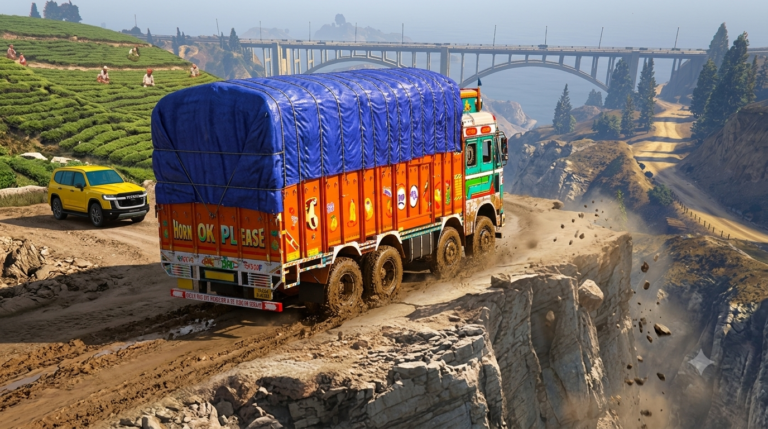
For example, a truck mod can add vehicles such as:
- Indian cargo trucks
- Trailer trucks
- Heavy trucks
- Off-road trucks
- Pickup trucks
- Commercial vehicles
- Different customized truck models
The important thing to remember is that a mod should be compatible with your current version of the game.
Can You Add Trucks to Bus Simulator India?
Yes. Bus Simulator India, also known as BUSSIN, includes a full vehicle mod system. Its current Google Play listing specifically mentions support for importing your own 3D vehicle models. The game also supports Indian roads, highways, customizable liveries, cloud saves and multiplayer convoy features.
This means players can use compatible vehicle mods instead of being limited only to the default vehicles included with the game.
How to Add a Truck in Bus Simulator India
Follow these general steps if you have a compatible truck mod file.
Step 1: Get a Compatible Truck Mod
First, obtain a truck mod that is specifically designed for Bus Simulator India.
Check the file format and compatibility information before using it. Avoid files from unknown sources, especially files that ask you to install unrelated APKs or applications.
A legitimate vehicle mod should normally be provided as a vehicle/mod file rather than requiring you to replace the complete game application.
Step 2: Open Your File Manager
After obtaining the mod, open the file manager on your Android phone.
Go to the folder where your browser or download application saved the file.
Usually, downloaded files can be found inside the Downloads folder.
Step 3: Check the Mod File
Before moving anything, check the file extension.
Some vehicle mods may come inside an archive such as ZIP or RAR. If the mod is compressed, extract it using a suitable file manager.
The actual vehicle file should then be available for importing or placing in the appropriate game mod location.
Step 4: Open Bus Simulator India
Launch Bus Simulator India after preparing the mod.
The current version includes a vehicle mod system, so compatible vehicle models can be imported through the game’s available modification functionality.
Look for the vehicle/mod section in the game.
Step 5: Import the Truck
Use the game’s import or vehicle-mod option if available.
Select the compatible truck file from your device storage.
The game should process the vehicle and add it to the available vehicle list if the file is supported.
Step 6: Select the Truck
After successful installation, open the garage or vehicle selection section.
Find the newly added truck and select it.
Depending on the mod, you may also be able to customize its appearance or use a compatible livery.
Step 7: Start Driving
Once the truck is activated, select a route and start the game.
If everything is compatible, the new truck should now be available for driving.
How to Add a Truck in BUSSID
Bus Simulator Indonesia also supports vehicle mods and has a large community-created vehicle ecosystem.
The general installation process is similar.
Step 1: Prepare the BUSSID Truck Mod
Obtain a compatible BUSSID truck mod file.
Many BUSSID vehicle mods use the .bussidmod format.
Do not rename random files simply to change their extension. The file should be a genuine mod created for BUSSID.
Step 2: Open the Downloads Folder
Use your Android file manager and locate the downloaded mod.
If it is contained inside a ZIP or RAR archive, extract the archive first.
Step 3: Move the Mod to the BUSSID Mods Folder
Move the actual .bussidmod file to the BUSSID Mods folder.
On devices where the folder structure is accessible, this is generally the game’s BUSSID/Mods location.
Some Android versions can restrict access to application folders, so the exact path may vary depending on the device and game version.
Step 4: Open BUSSID
Launch Bus Simulator Indonesia after placing the mod file.
Open the game’s vehicle or mod section and check whether the truck has been detected.
Step 5: Activate the Truck
If the vehicle appears in the available mods, select it and activate it.
After activation, open the garage and look for the new truck.
Step 6: Start the Game
Choose the truck and begin a driving session.
If the mod is compatible with your version of BUSSID, it should load normally.
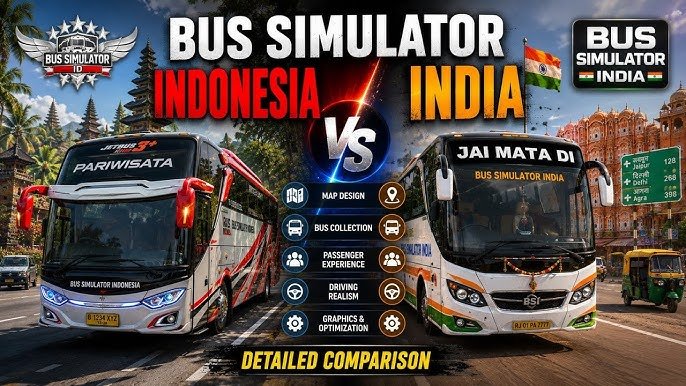
BUSSIN vs BUSSID: Which Is Easier for Truck Mods?
Both games support vehicle modifications, but the experience can be different.
Bus Simulator India is focused on Indian roads, cities, highways and Indian bus driving. Its current listing specifically mentions a full vehicle mod system that allows users to import 3D models.
BUSSID has a much larger and older modding community, with many community-created buses, trucks, cars and other vehicles available.
If your main interest is Indian roads and Indian-style driving, BUSSIN can be a good choice. If you want access to a broader community mod ecosystem, BUSSID may offer more variety.
Why Is My Truck Mod Not Showing?
Sometimes a vehicle does not appear after installation. This can happen for several reasons.
1. The Mod Is Not Compatible
The most common reason is compatibility.
A mod created for an older version of a game may not work correctly with a newer version.
Always check whether the creator mentions compatibility with your current game version.
2. The File Is Still Compressed
If you downloaded a ZIP or RAR archive, the actual mod may still be inside it.
Extract the archive and check for the correct vehicle file.
3. Wrong Folder
For games that require manual file placement, putting the mod in the wrong folder can prevent the game from detecting it.
Double-check the game’s current mod folder and follow the instructions provided with the particular mod.
4. Corrupted File
A partially downloaded or damaged file may fail to load.
If the file cannot be imported, obtain a fresh copy from a trustworthy source.
5. Insufficient Storage
Large vehicle models can take considerable storage space.
Make sure your phone has enough free storage before installing additional vehicles.
6. Game Restart Required
Sometimes the game does not immediately refresh its vehicle list.
Completely close the game and open it again before checking the garage.
Can You Add Indian Trucks to BUSSID?
Yes, Indian truck mods are available for BUSSID, including different Tata-style and heavy-truck designs created by the modding community.
However, these are community-created additions and are not necessarily official vehicles developed by the game’s developer.
The same principle applies to BUSSIN: only use vehicle files that are actually compatible with the game.
Tips for Better Truck Mod Performance
Truck mods can vary significantly in quality. A highly detailed vehicle may use more memory and processing resources than a simple model.
For better performance:
- Use optimized vehicle models.
- Avoid installing too many large mods at once.
- Keep enough free storage available.
- Close unnecessary background applications.
- Keep the game updated.
- Use compatible mods.
- Avoid suspicious APK files claiming to be vehicle mods.
- Remove broken or unused mods if the game begins crashing.
Is It Safe to Install Truck Mods?
The safety of a mod depends on where it comes from and what files it contains.
A vehicle mod file is different from a modified game APK. You should be particularly careful with websites that tell you to install an unknown APK, disable security settings, or provide unrelated applications before giving access to a vehicle.
For better security, use reputable mod communities and scan downloaded files when appropriate.
Never provide your Google account password or other sensitive information to a mod website.
Final Words
Adding a truck to Bus Simulator India or BUSSID can give your driving experience a completely different feel. BUSSIN now includes a vehicle mod system that supports importing 3D models, while BUSSID has a well-established community mod ecosystem.
The basic process is simple: obtain a compatible vehicle mod, prepare the file, import or place it in the correct location, open the game, and activate the truck from the vehicle or garage section.
If the truck does not appear, first check the file format, compatibility, folder location and whether the game needs to be restarted.
For the best experience in 2026, always use compatible files and avoid suspicious downloads or modified game applications.